What’s
inside?
We know what a day in the field looks like. Prospects, meetings, appointments, your team, and who to call today. nCoach keeps all of it in one place, and it sets the order for you.
Today’s Tasks, Planner, Nova, team analytics, appointments and more.
Today’s Tasks
nCoach hands you your daily task list.
Whoever you need to call or follow up on that day, it recommends them to you. Nothing here is random; behind the scenes an algorithm built on network marketing logic ranks the right people and puts them in front of you.
Every card tells you why that person showed up today. The hours since the presentation, the silence in follow-up, or a date you set yourself. The button on the card takes you straight to the work: invite, schedule a presentation, log a meeting.
We know that in network marketing "No" really means "Not yet." Someone you mark as Rejected is not shelved forever. nCoach brings that prospect back into Today’s Tasks after 90 days, so they stay on your follow-up list.
Planner
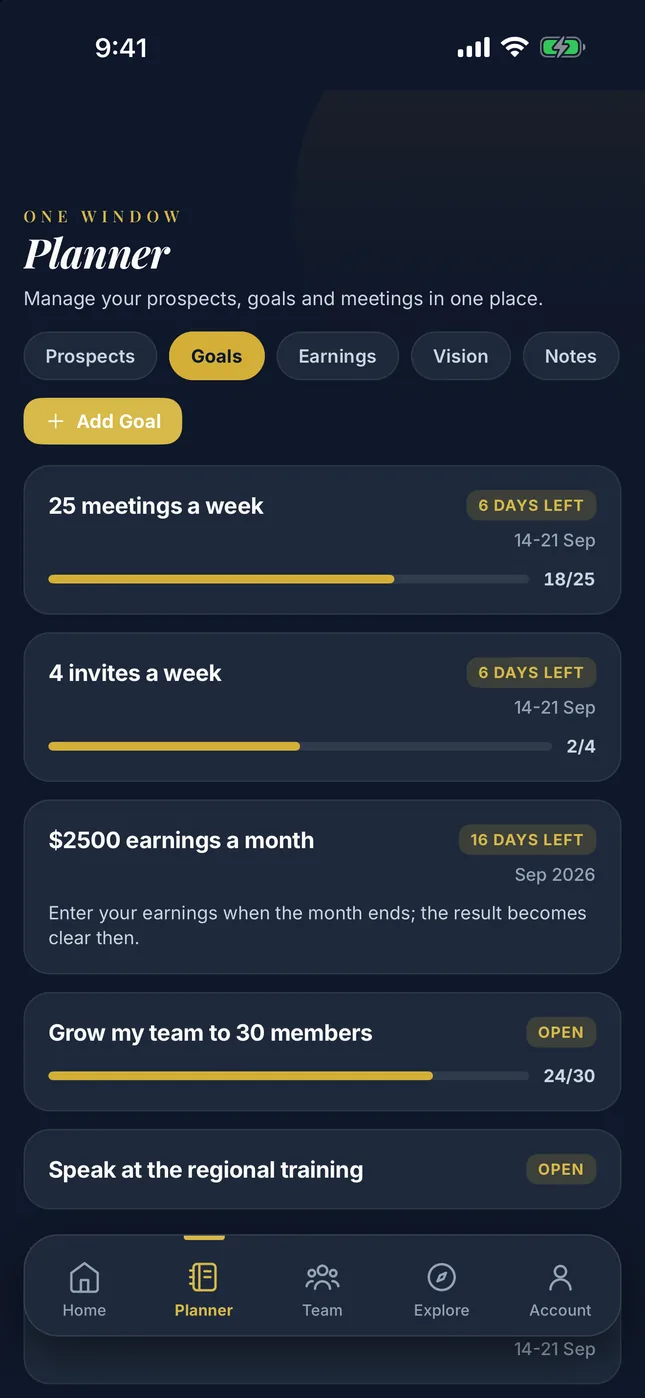
Your prospect list, your meeting history, your goals, your vision and your earnings live here. Once you add a name, everything about that person collects in the same record.
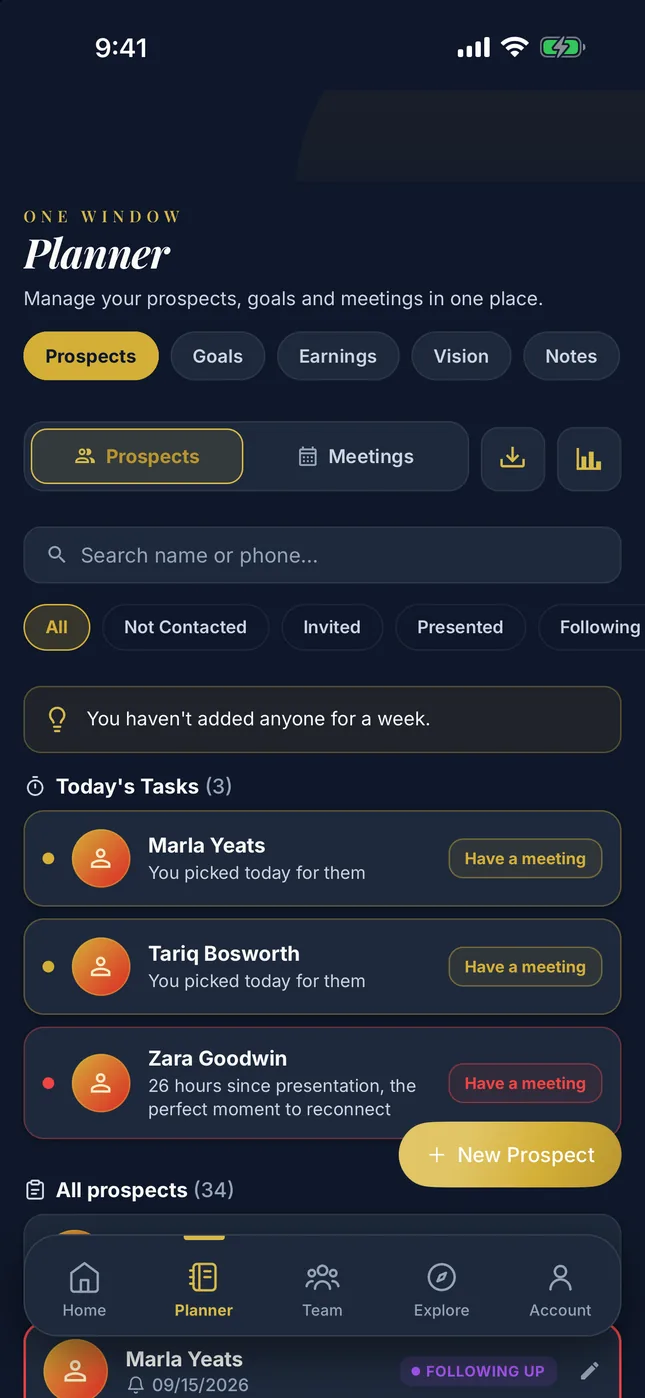
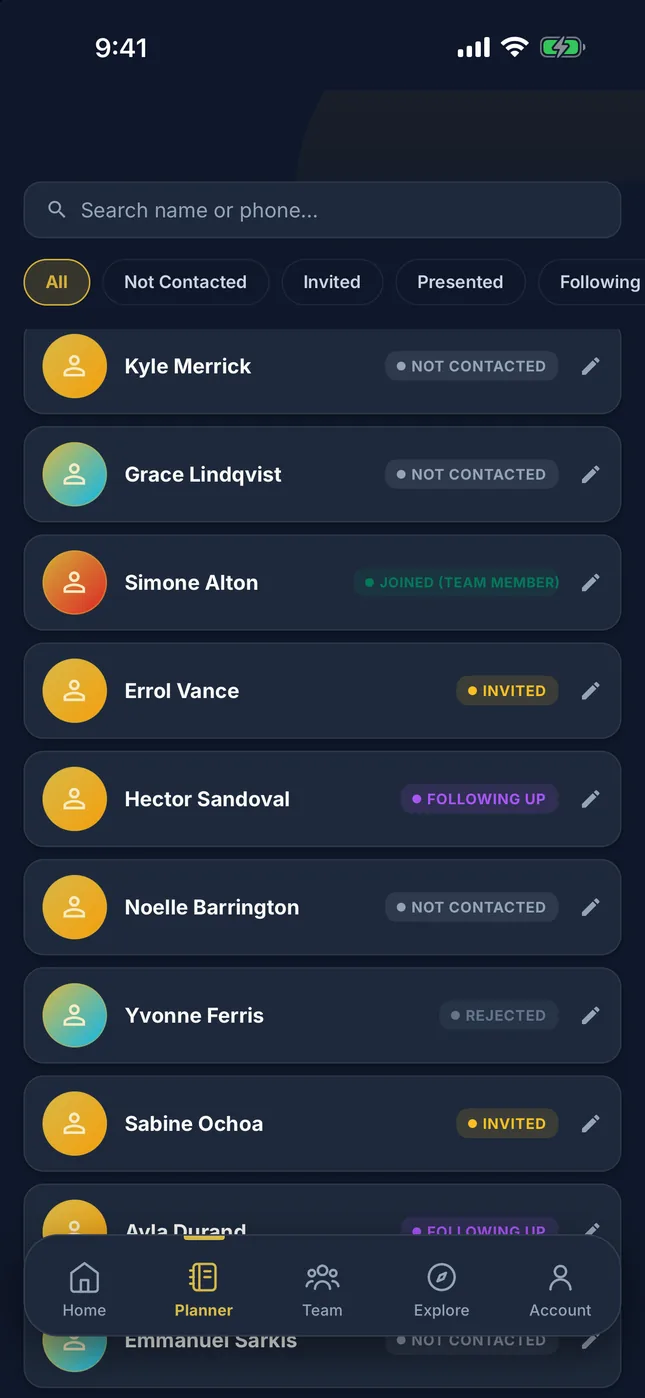
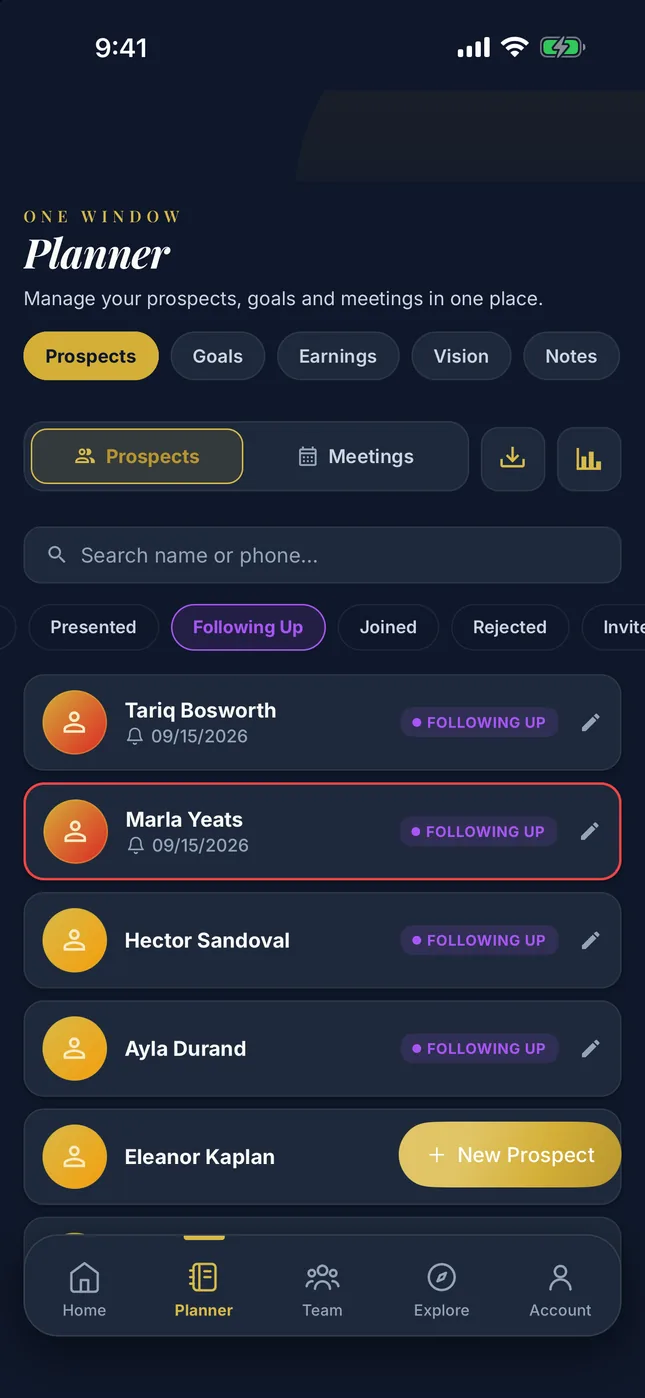
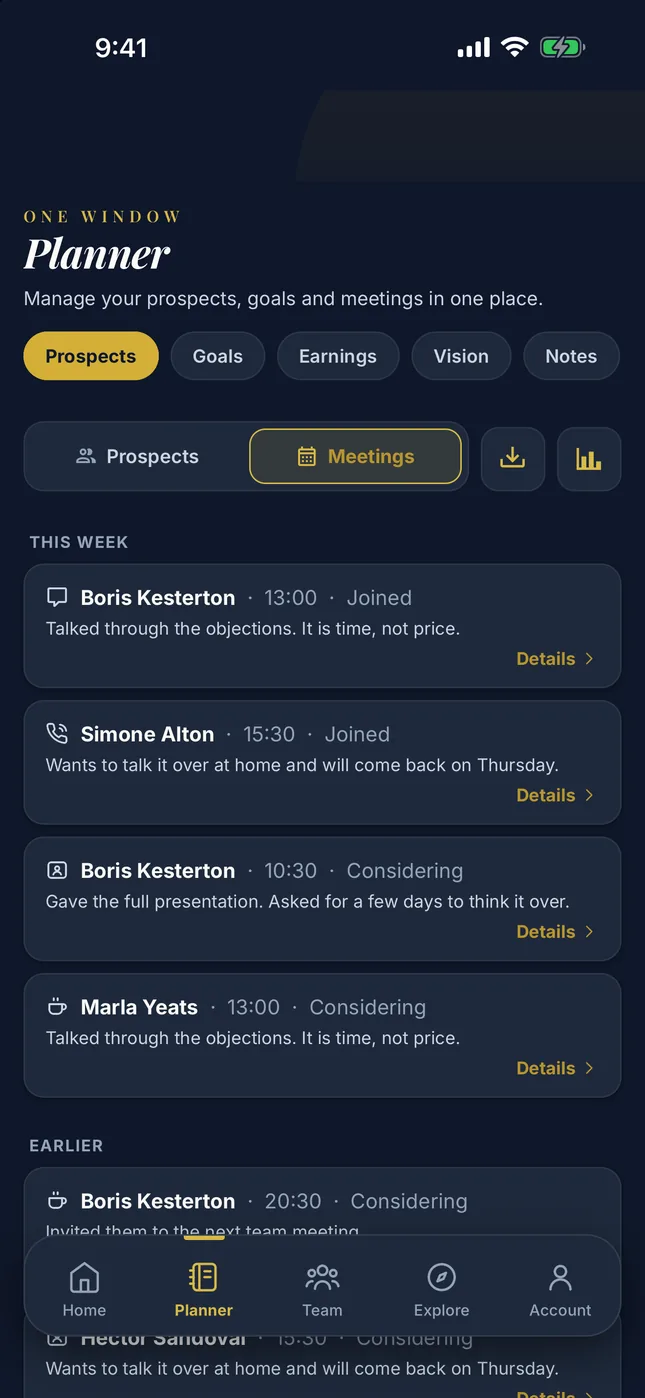
Every prospect sits in a stage
Each prospect is somewhere in the Pipeline: Not Contacted, Invited, Presented, Following Up, Joined or Rejected. Change the stage and it drops onto the timeline, so you see who is where at a glance.
The Pipeline is a prospect management system the nCoach team built for network marketing alone. Your prospects stay under one roof, each with their own status, and you can see who to call and when.
Log what you talked about
You save a meeting with its type and its result. Call or face to face, interested or still thinking. You write your note, the app suggests the next follow-up date, and you set your own if you would rather.
With automatic stage updates on, the prospect moves along the Pipeline according to the result. Every meeting you save stays on that prospect’s timeline.
You can see where you are headed
You write your goals with their deadlines and tick off the ones you reach. You put photos on your vision board. A goal you have reached goes out to your team in the feed with one tap.
Enter your monthly earnings
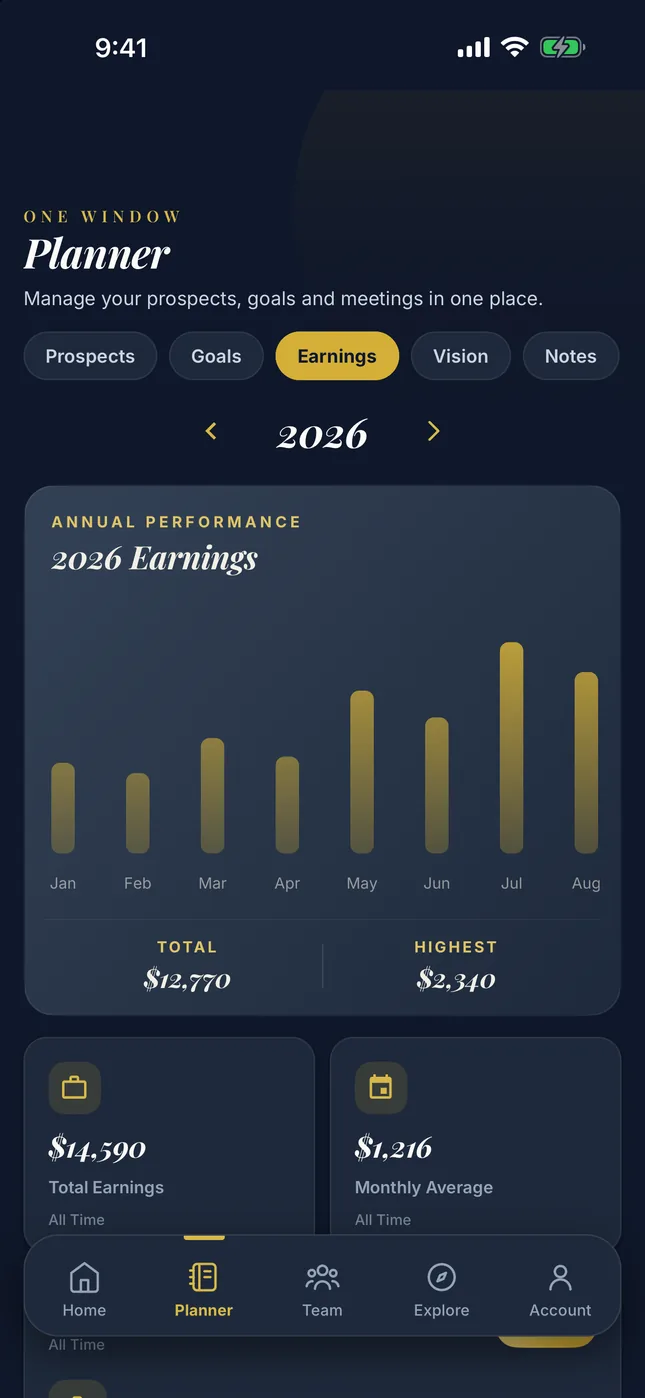
At the end of the month you enter your earnings in a single record; your yearly chart draws itself. Your team’s total earnings curve comes from the same records into the analytics screen.
Write down what stays with you
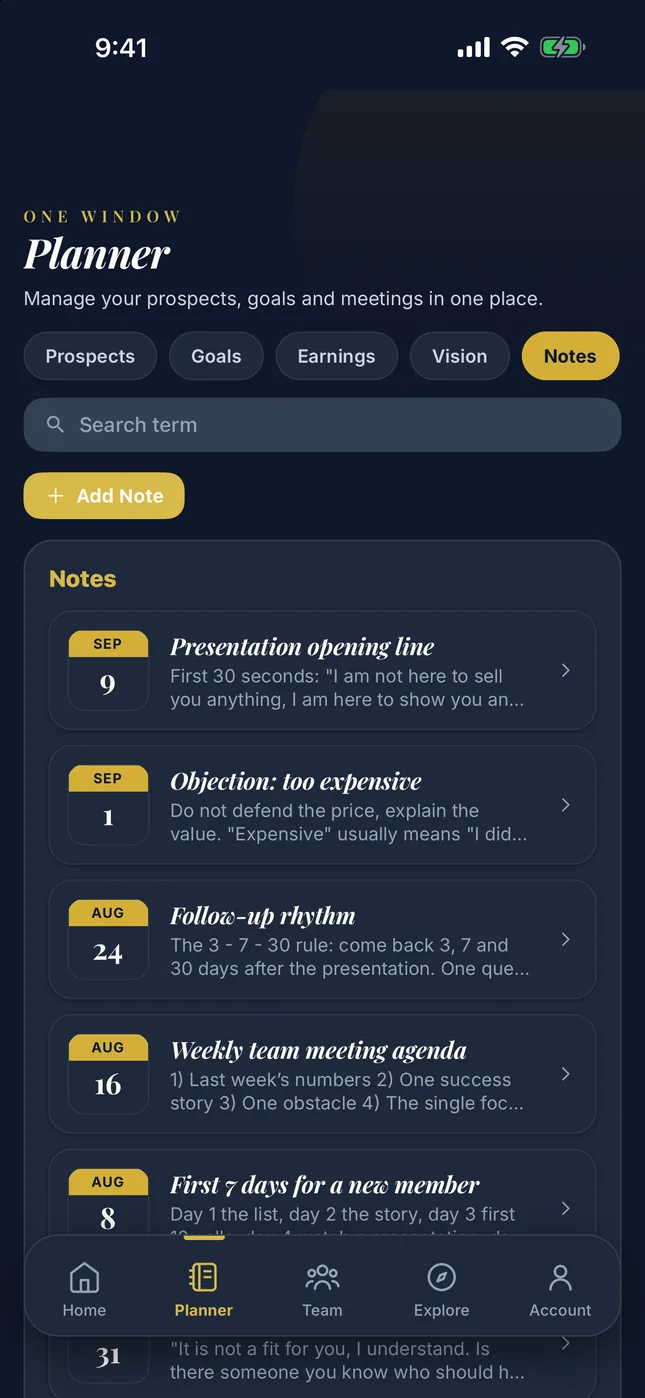
You keep notes with titles and find them when you search. Two lines written the moment you walk out of a meeting are the shortest way to remember that prospect three months later.
The list is yours
You download your prospects and your meetings as a file. Even if you leave the app, your work stays on your phone.
Nova
Nova is your companion in network marketing. To coach you, it looks at your prospects, your meetings and your goals, then recommends the path that fits you best.
You ask wherever you get stuck. Nova looks at your own numbers before it answers.
Nova has two modes. Coaching Chat is for the daily rhythm: how to walk into today’s meeting, what to say to an objection, how to talk to someone on your team. Growth Analysis reads your data and tells you where you are stuck, with numbers.
Nova knows your team, your prospects and your goals.
Team and analytics
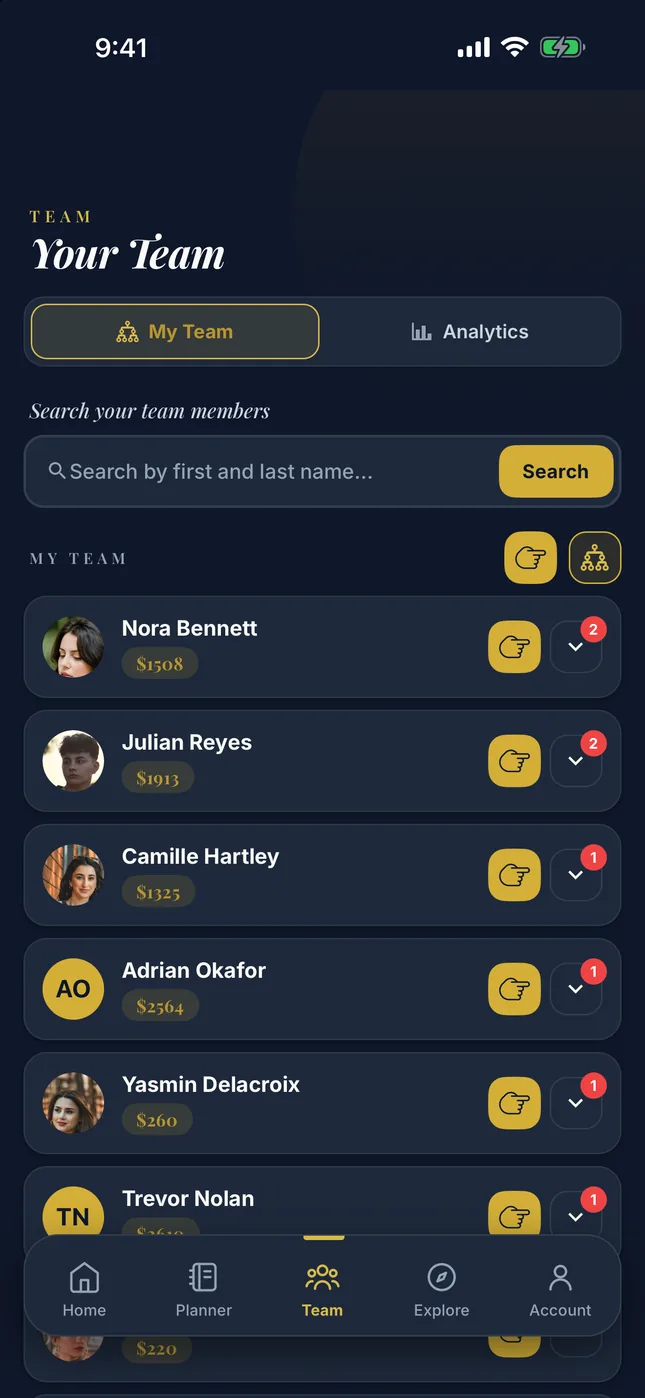
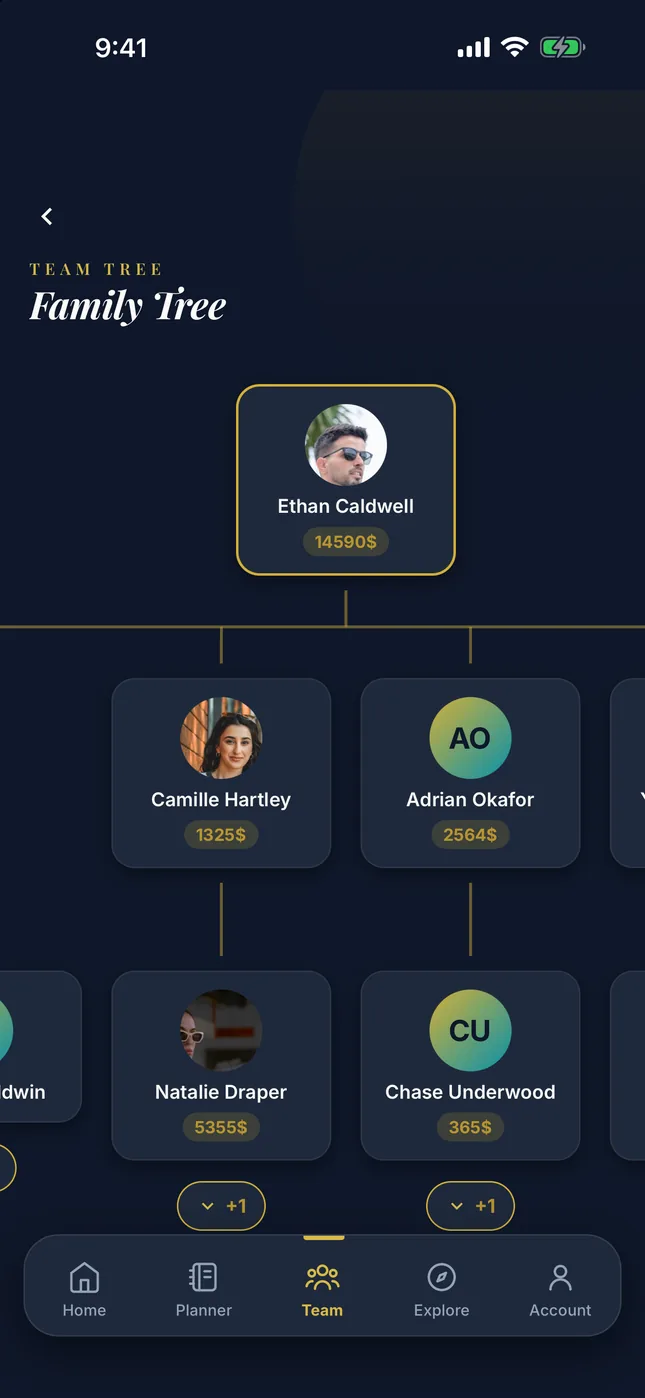
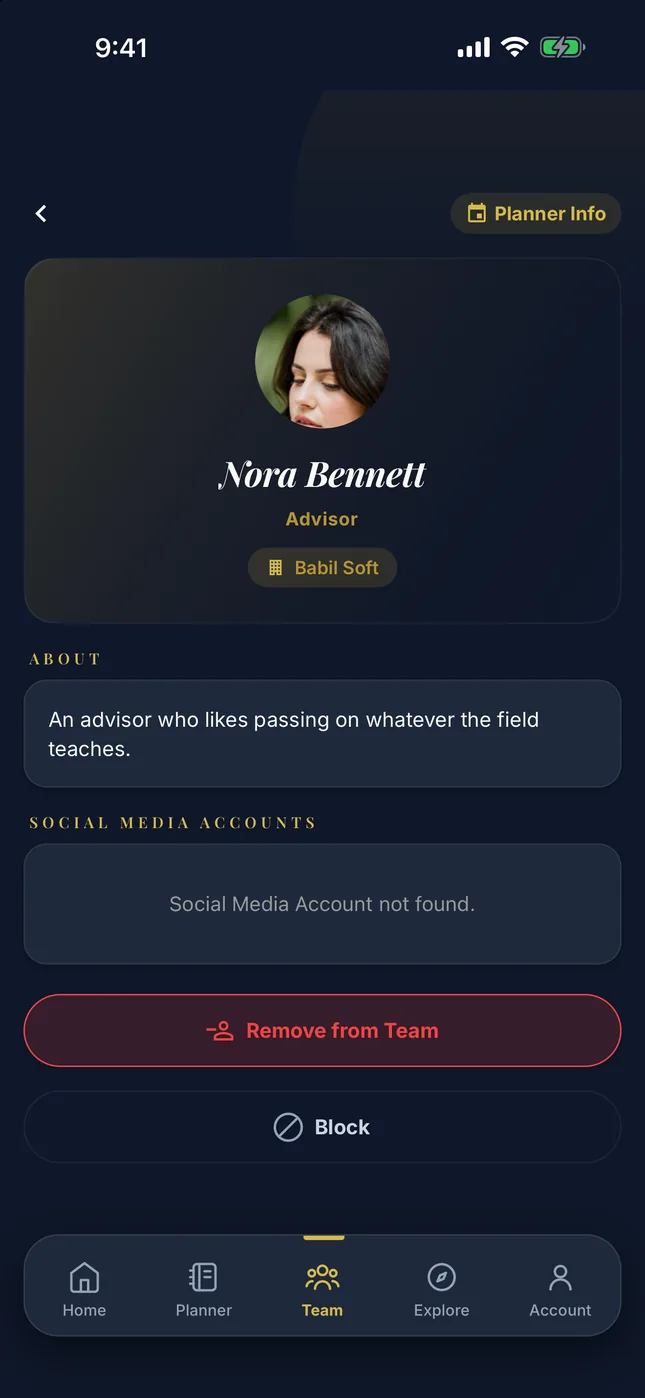
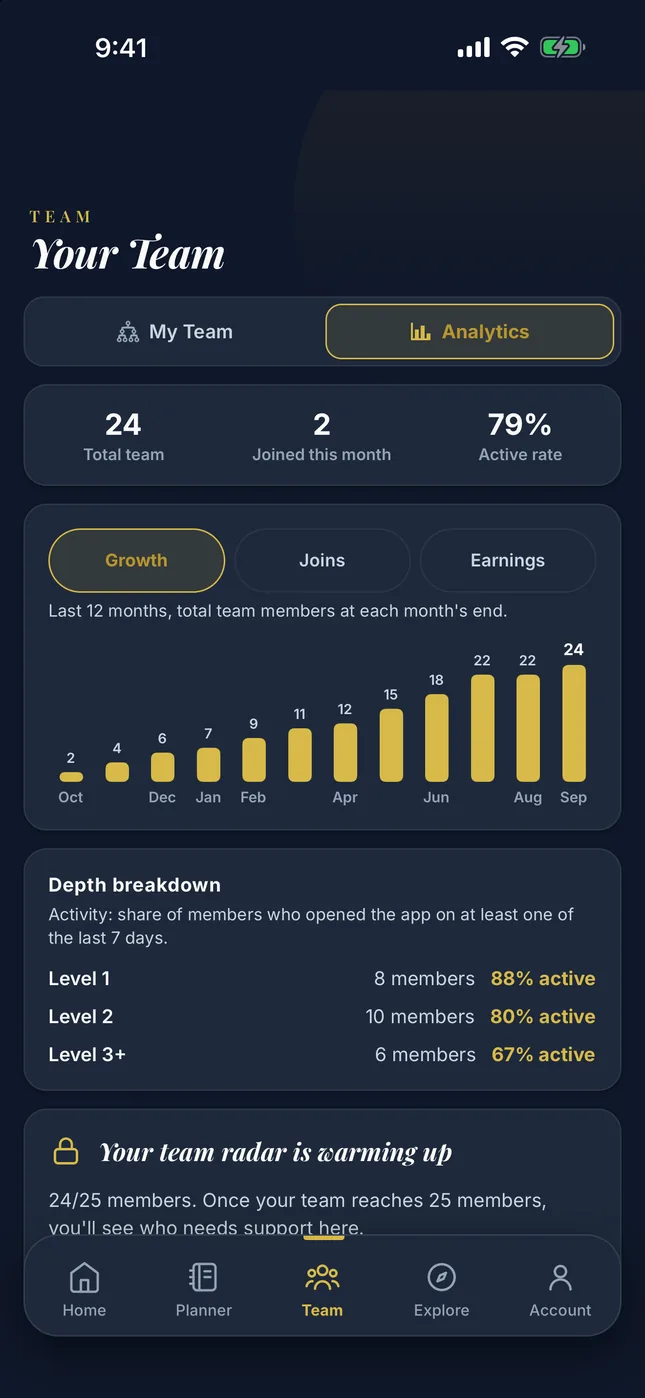
In the team tree you see who sits under whom. The analytics tab takes your team’s pulse.
- Overview. Tells you how the team is doing overall. Total team, members who joined this month and the active rate of the last seven days sit at the top as three cards.
- Growth curve. The last twelve months: total members at month end, who joined that month, and the team’s confirmed earnings. You see the months where the pace picked up and the months where it dropped.
- Depth breakdown. The team opens up level by level. How many members are on each level and how many of them are active. This is where you see which layer the drop-off starts in.
- Members who need support. Those whose logins are thinning out, who have no meeting records, whose streak has broken are listed with their signals. This section starts working once your team reaches 25 members.
- Nudge. One tap sends a notification to a member who has gone quiet. The shortest way to start a conversation.
- Coaching note. You leave a note in a team member’s planner about how to approach one of their prospects. That way your teammate gets a quick angle on which prospect to handle and how.
Risk signals come from in-app activity; you know your team best, and the last word is yours.
Appointments
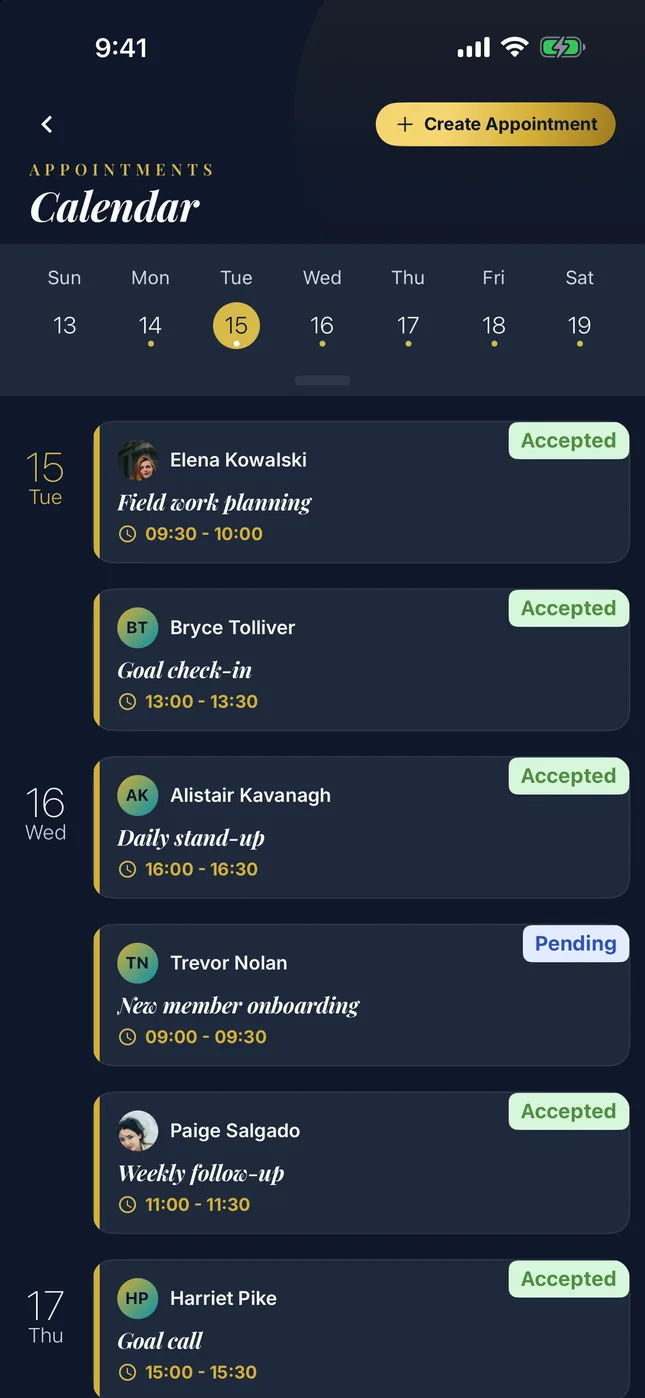
You set your weekly working hours once, and the rest runs on its own.
When someone on your team wants to book you, they only see the hours you are free. The request reaches you as a notification, and you accept it or reject it. Once you confirm an hour, the other requests for that same hour close and the people who sent them are asked to pick a new time.
Feed, events and content
Social media only for your team? Exactly that. What you post is seen by your upline and your downline; nobody outside the tree sees it. Here you can share a goal, your vision or any other win, make an announcement to your team, and show event or stream content to the people you work with. Only you, your team and your sponsors.
Seven post types
Post, announcement, stream, event, poll, goal and vision. When you earn a badge or finish a goal, the app offers to share it; you add your own line and send it.
You can show a post only to members at the career levels you pick. What you write to a newcomer does not have to be what you write to a leader.
Events and live streams
When you open an event you choose the audience: your company, your team, or specific people. You see who joined in the list.
For a live stream you paste your stream link and it plays inside the app. Your streams stay in the list, so whoever arrives late can still watch the recording.
Polls and announcements
If you want to ask your team something, you open a poll in the feed; the votes show you who thinks what. Your announcement lands in your team’s feed instead of getting lost among group messages.
Share your goal and your vision
When you share a goal in the feed your team sees it too; saying it out loud keeps you moving. You share your vision board and show a newcomer where you are all headed.
Pace
Every day you open the app grows your streak. How many days you are on sits at the top of the home screen.
Badges gain their color as you earn them, and each one carries points. Tap one you have not unlocked yet and it tells you what to do: add ten prospects, log in seven days in a row, bring five of your prospects into the team.
You follow where you stand on the company leaderboard from Collection. When a new badge or rank arrives, you can share it with your team if you want to.
You decide who sees what
By default your Planner is visible only to the sponsors in your upline. Members in your downline, and anyone outside the team, can never see it.
Turn on Private Planner and your sponsors cannot see it either, while your profile stays visible. The hours you are free for appointments keep showing. With Private Account, your about text and your contact details close; your name and photo stay open to members.
What comes with which plan
Start is free, and the backbone of the app is open there too. Momentum and Mastermind raise how much you can produce and how much of your team you can see.
| Feature | Start Free | Momentum | Mastermind |
|---|---|---|---|
| Planner, Pipeline, goals, vision, earnings | StartYes | MomentumYes | MastermindYes |
| Today’s Tasks | StartYes | MomentumYes | MastermindYes |
| Access to the blog, events and live streams | StartYes | MomentumYes | MastermindYes |
| Nova chat Coaching Chat and Growth Analysis draw on the same allowance | Start1 a day, 2 a month | Momentum3 a day, 30 a month | Mastermind15 a day, 150 a month |
| Growth Analysis A separate daily limit on top of the chat allowance | StartNo | Momentum1 a day | Mastermind3 a day |
| Posting in the feed | Start1 a day | Momentum5 a day | MastermindUnlimited |
| Poll and video posts | StartNo | MomentumYes | MastermindYes |
| Career-based audience | StartNo | MomentumNo | MastermindYes |
| Creating events | StartNo | Momentum5 a month | Mastermind15 a month |
| Starting a live stream | StartNo | Momentum3 a month | MastermindUnlimited |
| Appointment requests The allowance counts people; later requests to the same person are free | Start1 person a day | Momentum3 people a day | Mastermind10 people a day |
| Notifying the team | StartNo | Momentum1 a day, 10 a month | Mastermind3 a day, 50 a month |
| Prospect stats Conversion rate and stage breakdown | StartNo | MomentumYes | MastermindYes |
| Team overview | StartYes | MomentumYes | MastermindYes |
| Team growth chart | StartNo | MomentumYes | MastermindYes |
| Depth breakdown | StartNo | MomentumNo | MastermindYes |
| Churn risk radar Opens once the team reaches 25 members | StartNo | MomentumNo | MastermindYes |
| Coaching note | StartNo | MomentumNo | MastermindYes |
Momentum comes on top of everything in Start, and Mastermind on top of Momentum. Daily allowances renew at midnight in your own time zone, monthly ones on the first of the month. When an allowance runs out, the app tells you how much you have used and shows you the option to move up a plan.
Start for free
You do not have to pay anything to enter your prospects and see what Today’s Tasks hands you. Tap the link below to download the app and join us.